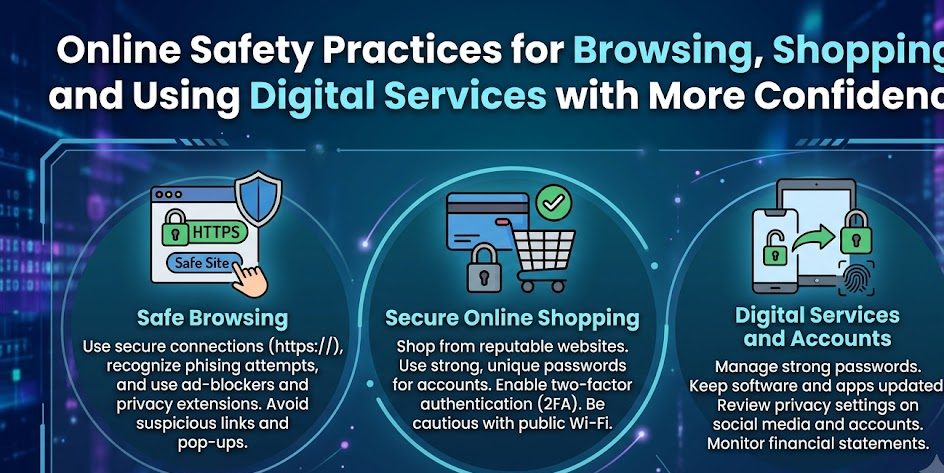
Browse • Shop • Connect
Digital life is more convenient when you can use websites, online stores, and everyday services with confidence. A few practical safety habits can help you make better decisions, recognize unusual situations, and protect important information while staying active online.
🌐
Think before you trust.
Small checks can make everyday online activity feel much safer.
The internet has become part of everyday life. People browse for information, communicate with others, compare products, manage accounts, make payments, and use digital services for work and entertainment. These activities can save time and create useful opportunities, but they also require thoughtful habits.
Online safety does not mean avoiding every unfamiliar website or treating all digital services as dangerous. A better approach is to understand the situations that deserve more attention. An unexpected message, unusual payment request, unfamiliar login page, or offer that seems too good to be true can all be reasons to slow down.
Confidence online often comes from having a simple process for checking things before acting. When browsing, shopping, or using a digital service, you do not need to know every technical detail. You only need a few reliable habits that help you notice when something does not look right.
START WITH THIS
Check Before You Click
Many online problems begin with a rushed click. A message may contain a link that appears to lead to a familiar service, but the destination may not be what it seems. Taking a moment to consider where a link came from can prevent unnecessary risk.
Unexpected links deserve additional caution. If a message claims that an account needs immediate attention, avoid relying only on the provided link. Open the official website or app independently and check the account from there.
This habit is especially useful when a message creates urgency. Pressure to act quickly can make people skip normal checks, which is exactly why unusual urgency should encourage extra care.
Pause
Do not let an unexpected message decide how quickly you need to respond.
Check
Look carefully at the sender, website, request, and context.
Verify
Use an official source or trusted contact method when something seems unusual.
Use Websites with a Clear Sense of Purpose
When visiting a website for a specific task, it helps to know what you are looking for before you arrive. Searching for official services, support pages, account portals, or payment platforms through trusted sources can reduce the chance of visiting a misleading page.
Pay attention to the website address and avoid assuming that a page is genuine simply because it uses a familiar logo or looks professionally designed. Visual appearance can be copied, while the actual destination may be different.
A better browsing habit
When an important website is needed, reach it through a trusted route rather than following an unexpected link.
Shop Online Without Rushing the Purchase
Online shopping can make comparing products and services easier, but unfamiliar sellers and unusually attractive offers deserve careful attention. Before making a purchase, take time to understand who you are buying from and what information is being requested.
Review the seller, product details, pricing, delivery information, and return policies. If an offer appears dramatically different from similar options, look more closely before entering payment information.
Before Completing an Online Purchase
- Confirm that you understand who is selling the product or service.
- Review the total cost before completing payment.
- Read important delivery and return information.
- Be cautious with unexpected payment instructions.
- Keep a record of legitimate purchase confirmations.
A safe purchase is not only about finding the lowest price. It also involves understanding the transaction and knowing what support is available if a problem occurs.
Protect Accounts Used for Digital Services
Many digital services require an account. These accounts may contain personal details, payment information, private messages, documents, or access to other connected services. Protecting important accounts should therefore be part of normal online safety.
Use different passwords for important accounts whenever possible and take advantage of available additional security options. Avoid sharing account credentials through unexpected messages or calls.
Protect Access
Use strong account protection and avoid making one password responsible for everything.
Protect Recovery
Keep important recovery information current and under your control.
Protect Privacy
Share only the information needed for a legitimate service or transaction.
Be Careful When Using Public or Shared Networks
Public and shared networks can be convenient, but they may not provide the same level of control as a private connection. Be thoughtful about the type of activity performed while using an unfamiliar network.
Avoid unnecessary exposure of sensitive information, especially when you are uncertain about how the network is managed. For highly important activities, such as managing sensitive accounts, consider whether a more trusted connection is available.
When using shared computers or devices, sign out of accounts after finishing and avoid saving credentials on systems that other people may use.
Keep Software and Apps Current
Browsers, operating systems, and applications are regularly updated to improve features and address known problems. Keeping important software current can help reduce exposure to issues that have already been identified.
Use official sources when downloading or updating software. Unexpected pop-ups that demand immediate installation should be treated carefully, particularly if they appear outside the normal update process.
Five Everyday Online Safety Practices
“`Urgency should encourage checking, not faster decisions.
Do not depend on links from unfamiliar messages.
Understand who is being paid and why before completing a transaction.
Strong credentials and available security features can reduce avoidable risks.
Use trusted update methods and recognized software sources.
Question Unusual Requests for Information
Not every request for personal information is dangerous, but unexpected requests deserve attention. Consider why a particular detail is being requested and whether it is genuinely necessary.
A legitimate service may need certain information to complete a transaction or verify an account. However, you should be able to understand the purpose of the request and verify the organization through an independent source when needed.
Pressure, secrecy, threats, or promises of unusual rewards can all be signs that a request deserves closer examination.
Use this quick check
Was this expected? Does the request make sense? Can I verify it through an official source? Is there a reason someone wants me to act immediately?
Build Confidence Through Repeated Habits
Online confidence does not come from memorizing every possible risk. Technology changes too quickly for that approach to be practical. Instead, it comes from repeating a few reliable actions whenever something important happens online.
Pause before responding to unusual messages. Verify important requests independently. Protect accounts and payment information. Review unfamiliar websites before sharing personal details. These habits can be used across many different websites and services.
A Safer Digital Routine
Online safety is not about never taking action. It is about knowing when an action deserves an extra moment of thought.
Whether you are browsing a website, shopping online, signing in to a service, or managing a digital account, simple checks can help you stay in control. Start with one habit that you can use every day, then build from there. Over time, these small decisions can make using digital services feel more confident, practical, and secure.