Why Simple Browsing Habits Matter
Every day, millions of people receive emails, text messages, advertisements, and social media posts containing links. While many of these are perfectly legitimate, others are designed to steal passwords, spread malware, or collect personal information through phishing websites.
The good news is that most online scams rely on users acting quickly without thinking. A short pause before clicking can prevent many digital security problems. The Stop, Check, Continue method provides an easy framework that anyone can remember and apply across different devices.
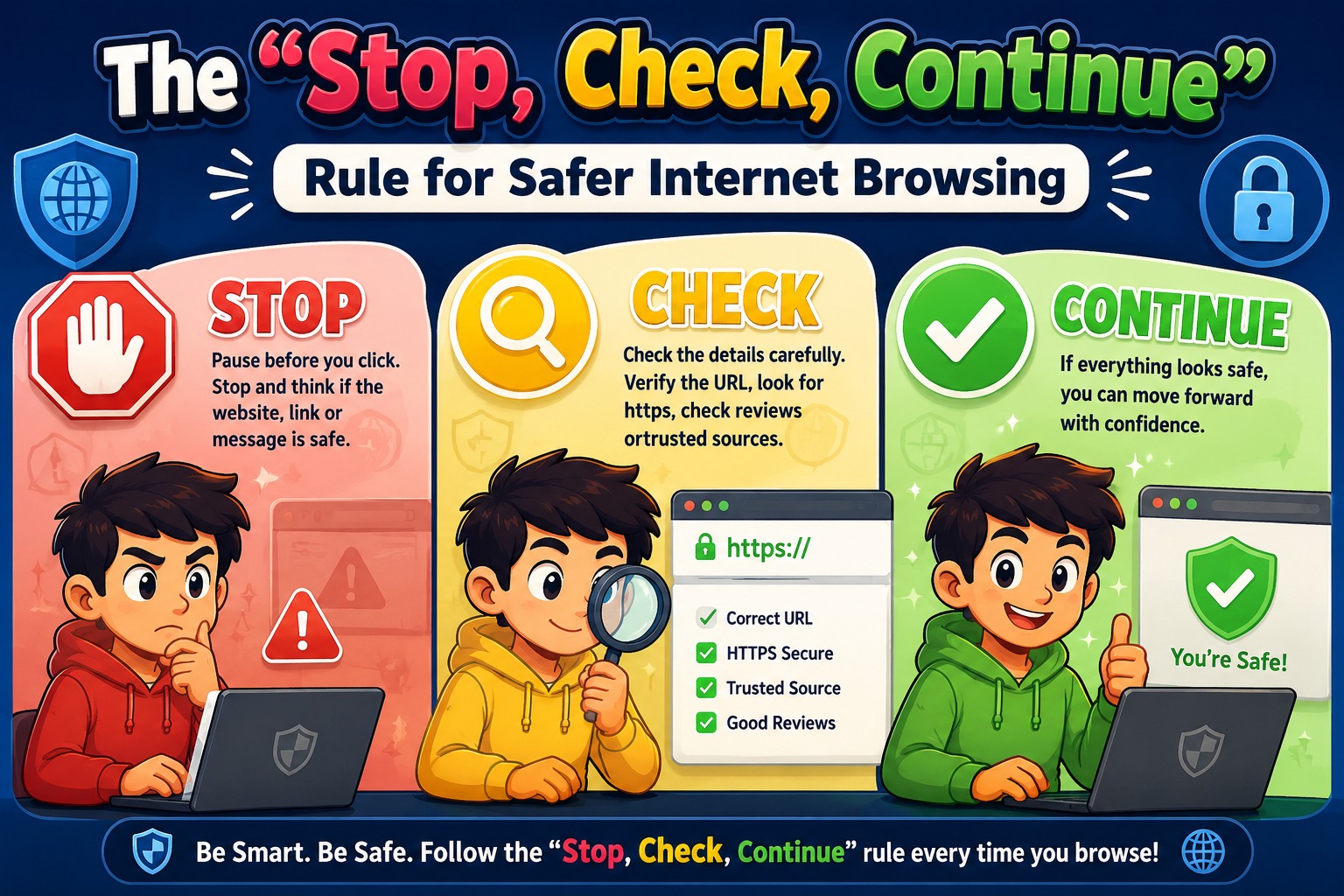
Understanding the Stop, Check, Continue Rule
Pause before clicking a link, downloading a file, or entering personal information. If a message creates urgency or pressure, take a moment to think instead of reacting immediately.
Inspect the website address, verify the sender, look for spelling mistakes, confirm HTTPS, and consider whether the request makes sense. When something feels unusual, verify it through official sources.
If everything appears legitimate after checking, continue with confidence. If any warning signs remain, avoid interacting with the page and report suspicious messages when appropriate.
Applying the Rule in Everyday Situations
Email Messages
Before opening attachments or clicking links, verify the sender’s address carefully. Many phishing emails imitate trusted companies using similar-looking domain names.
Social Media
Fake giveaways, urgent news stories, and suspicious promotions often circulate on social platforms. Confirm information through reliable sources before interacting.
Online Shopping
Look for secure payment pages, verify website addresses, and be cautious of deals that seem unusually generous. Legitimate retailers rarely pressure customers into immediate purchases through alarming messages.
Text Messages
Unexpected package delivery updates, banking alerts, and prize notifications frequently contain deceptive links. Contact the organization directly if you’re uncertain.
Quick Reference Table
| Situation | What to Check | Recommended Action |
|---|---|---|
| Email Link | Sender address and destination URL | Open only after verification. |
| Website Login | Correct domain and HTTPS | Enter credentials only on trusted sites. |
| Software Download | Official publisher | Download from official websites only. |
| Social Media Message | Unexpected requests or urgency | Verify with the sender. |
| Online Payment | Secure checkout page | Proceed only if everything appears legitimate. |
Common Mistakes to Avoid
- Clicking links without reading the full website address.
- Trusting messages simply because they use familiar logos.
- Ignoring browser security warnings.
- Downloading unexpected attachments.
- Sharing passwords through email or messaging apps.
- Believing urgent requests without independent verification.
Daily Safe Browsing Checklist
- ✔ Pause before clicking unfamiliar links.
- ✔ Verify website addresses carefully.
- ✔ Confirm the sender before responding.
- ✔ Keep your browser and operating system updated.
- ✔ Enable two-factor authentication on important accounts.
- ✔ Avoid entering sensitive information on suspicious websites.
- ✔ Report phishing attempts whenever possible.
- ✔ Trust careful verification over urgency.
Helpful Resource: Federal Trade Commission – Recognize and Avoid Phishing Scams
Frequently Asked Questions
Is the Stop, Check, Continue rule useful for mobile phones?
Yes. Smartphones also receive phishing emails, text messages, and social media links. Long-pressing a link often lets you preview its destination before opening it.
Can HTTPS guarantee a website is safe?
No. HTTPS encrypts the connection, but fraudulent websites can also use HTTPS. Always verify the domain name and the legitimacy of the website.
What should I do if I accidentally click a suspicious link?
Close the webpage immediately, avoid downloading anything, run a security scan if needed, and change passwords if you entered sensitive information.
How can I make this habit automatic?
Practice pausing for just a few seconds before interacting with unfamiliar links. Repeating this simple routine soon makes it a natural part of your browsing behavior.
Final Thoughts
The Stop, Check, Continue rule is a simple yet highly effective way to browse the internet more safely. Rather than relying on technical knowledge, it encourages thoughtful decisions before every important click. By pausing, verifying information, and continuing only when everything appears trustworthy, you can significantly reduce the risk of phishing scams, malicious websites, and identity theft. Safe browsing begins with small, consistent habits, and this easy three-step approach is one of the best places to start.